
Browse the Full Directory
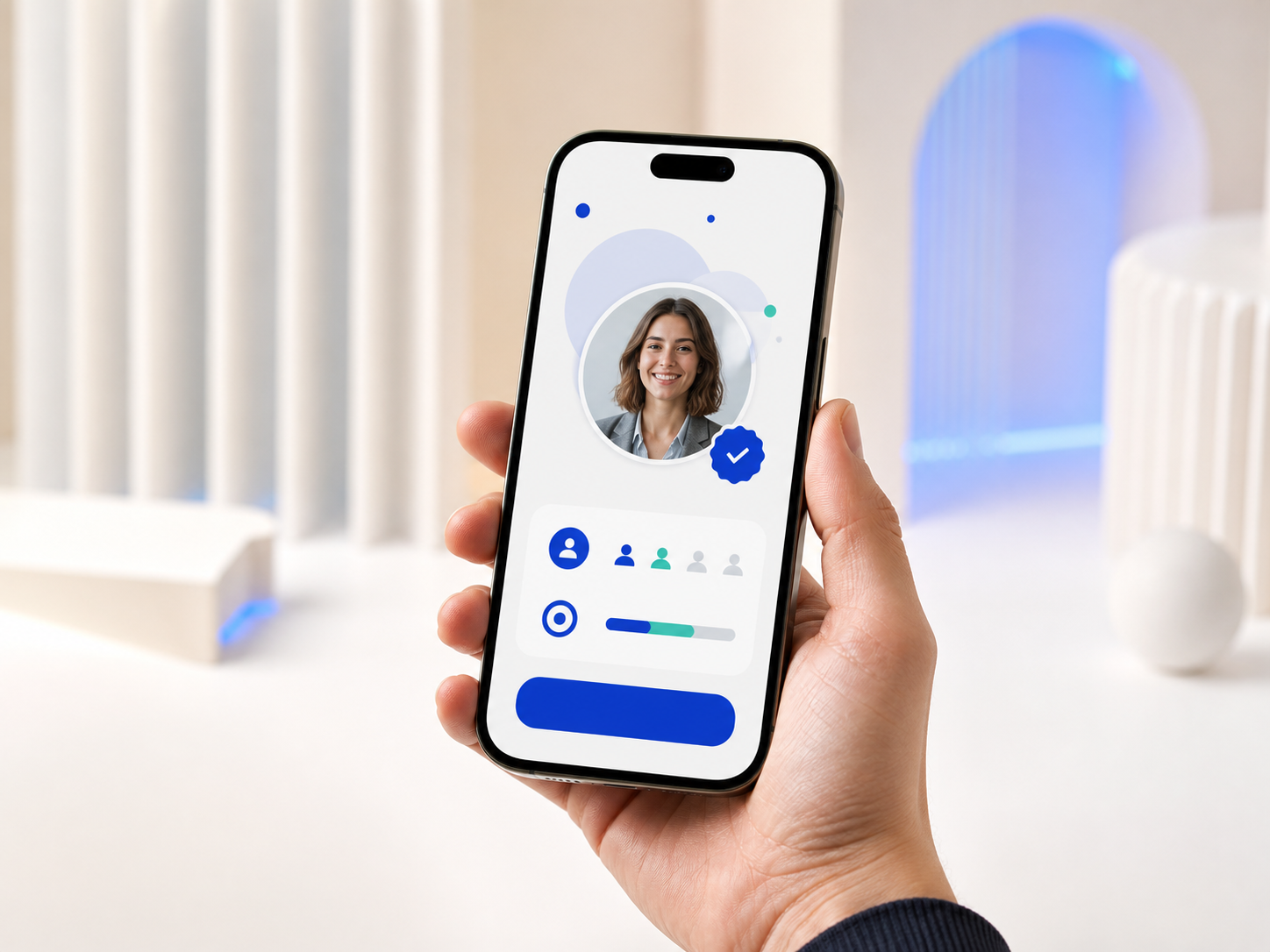
Attendees open networking from the EventHex mobile experience, then search and explore the people available in their event.
Give attendees a more focused way to discover people inside your event app. EventHex recommends profiles from the event, then lets each attendee review, connect, chat, and choose when to meet.
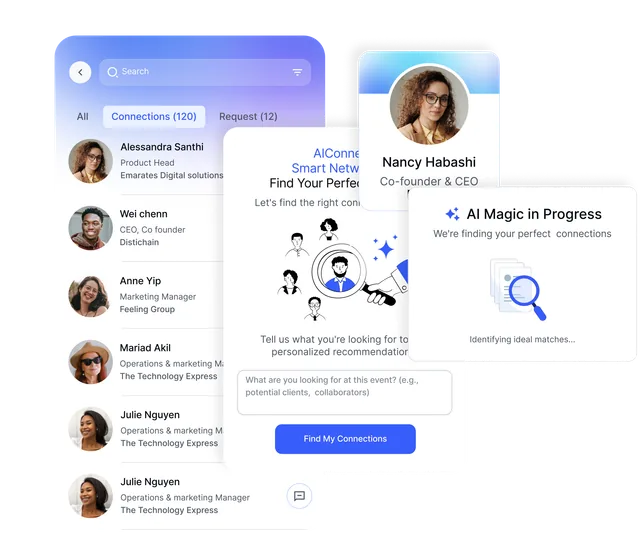
Choose how attendees discover people at your event. They stay in control of every connection.
Attendees open networking from the EventHex mobile experience, then search and explore the people available in their event.
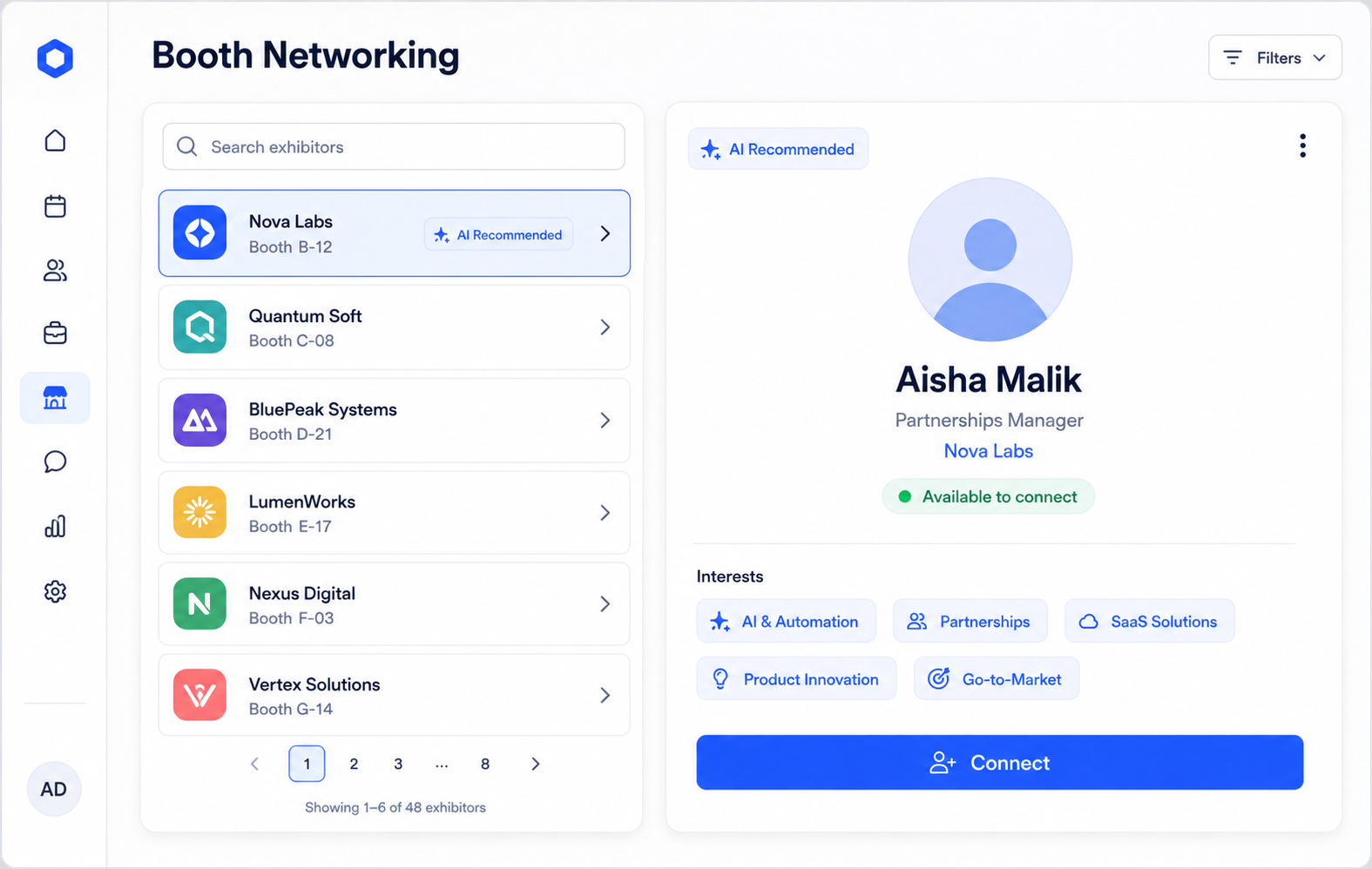
 Profile cards configured Explore directory ✦ AI RecommendedRelevant profiles first Similar people enabled
 Organizers enable AI Recommendations and Similar People; attendees get a focused set of profiles to review before choosing whether to connect.
Use participant information available to EventHex to identify profiles with relevant similarity.
Recommendations come from candidate profiles associated with the event the attendee has opened.
Review available role, company, event details, and social information before connecting.
See whether a profile is new, requested, invited, or already connected.
Each attendee reviews the recommendation and decides whether to send a connection request.
Recommended profiles appear as part of the networking experience, not as a separate organizer report.

Browse the networking directory and find another participant.
Return to people who have accepted a connection.
Review incoming connection requests and accept or decline.
Track the connection requests the attendee has already sent.
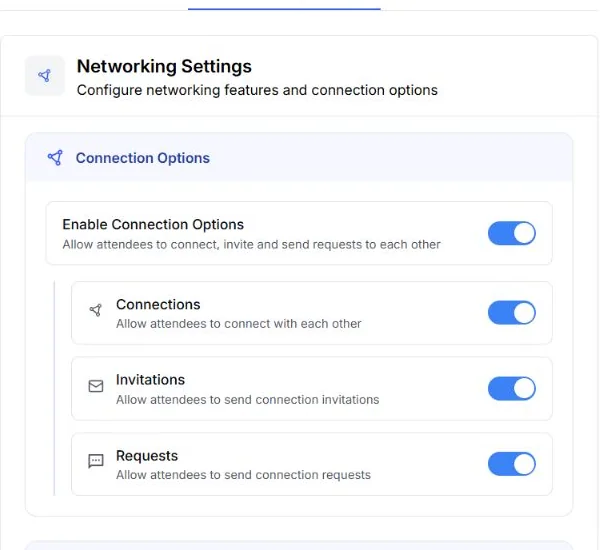
Enter the event's networking area when it is enabled for the attendee.
Explore the journeyCheck the available professional and event-specific context.
Explore the journeyUse the connected profile to arrange a one-to-one meeting.
Explore the journeyEnter the event's networking area when it is enabled for the attendee.
Review profiles surfaced as a relevant starting point.
Check the available professional and event-specific context.
Choose whether to invite that person to connect.
Start a conversation after the connection is accepted.
Use the connected profile to arrange a one-to-one meeting.
The networking screen separates discovery from requests and relationships that need attention.
Browse the networking directory and find another participant.
Return to people who have accepted a connection.
Review incoming connection requests and accept or decline.
Track the connection requests the attendee has already sent.
Smart-Connect keeps the next steps close to the relationship attendees choose to create.
Book a DemoBoth participants can see when the relationship is confirmed.
 Connection accepted View connection
 Continue the conversation from the connected profile.
Connected Open chat Open the meeting flow and choose the meeting details.
 Ready to meet Schedule meeting
 Find the person under Connections instead of restarting the search.
 Saved connection View connections
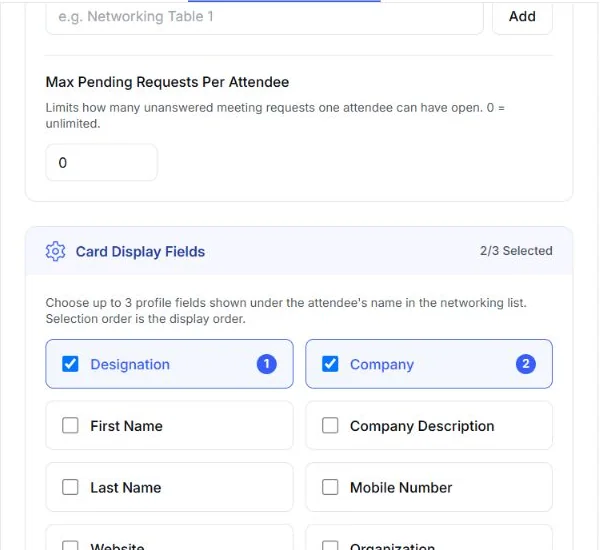
 Use designation and company when they help attendees understand who they are viewing.
Use a relevant answer collected in the event or ticket form when that is more useful.
Arrange selected fields in the sequence attendees should scan them.
Let attendees open a profile for additional information and provided social links.
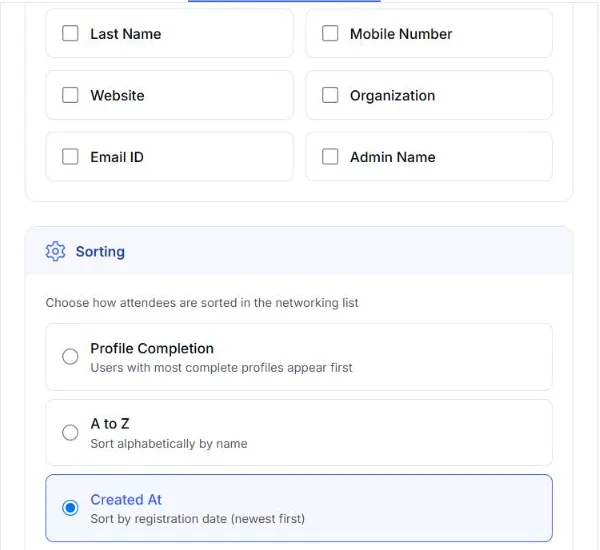
Choose which actions are available, what profile context appears, and how the attendee directory is ordered.
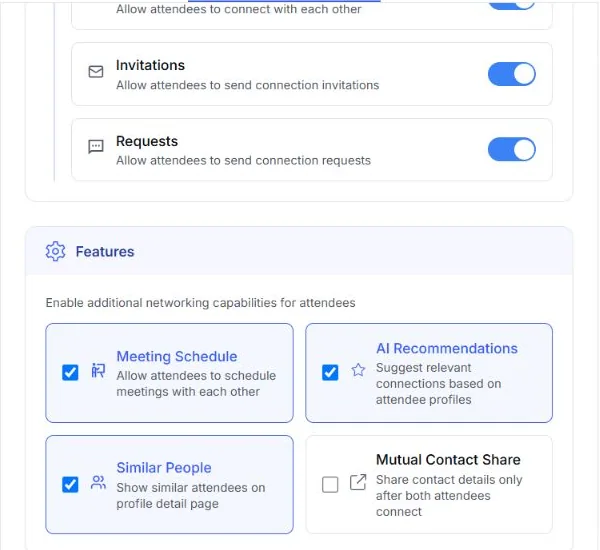
✓ EnabledConnections + invites Attendee controlled Enable the connection, invitation, and request actions that fit the event. Attendees still decide who they want to connect with.
AI recommendedSimilar people enabled Meetings ready Turn on meeting scheduling, AI recommendations, and similar-profile discovery when they support the way people should network at your event.
2 of 3 selectedDisplay order saved Context ready Select and order the profile fields attendees see in the networking list, so every recommendation arrives with useful professional context.
Directory sortedCreated date selected Rules applied Sort the networking directory by profile completion, alphabetically, or by registration date to create the starting point that suits the event.
Help delegates explore attendees and visible booth members, then connect before starting a conversation.
Explore More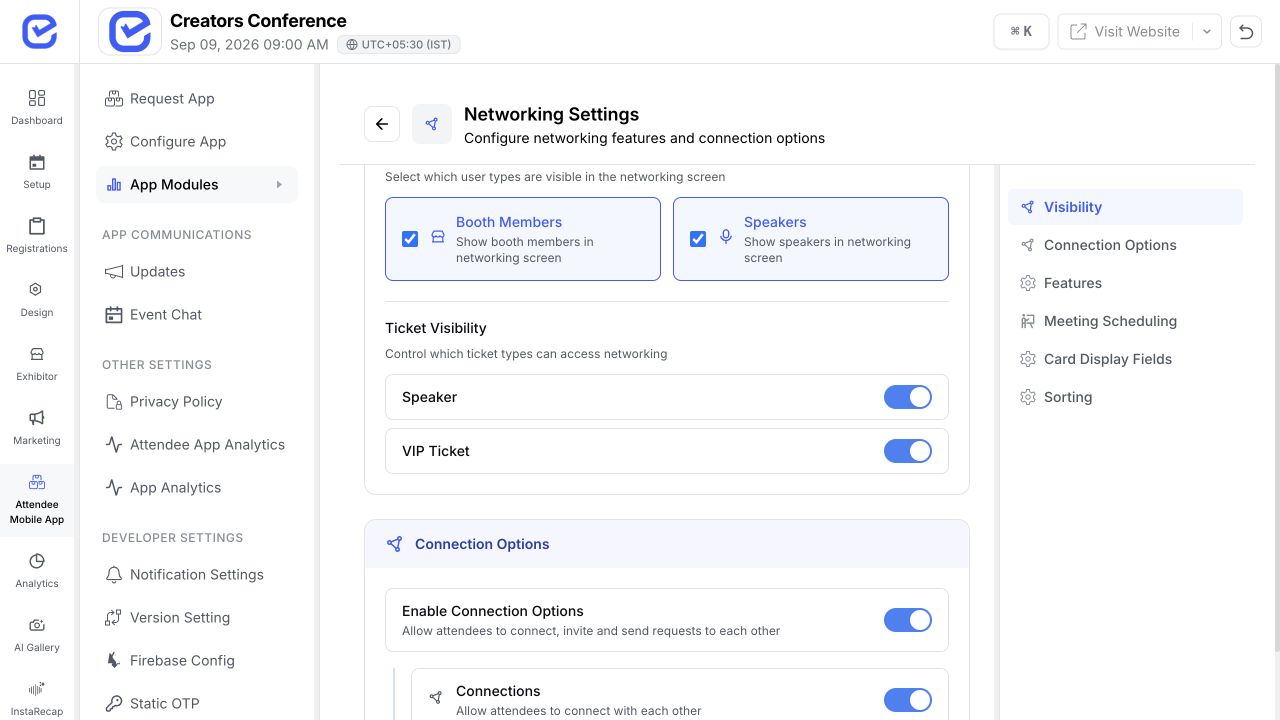
Surface relevant participant profiles and keep speakers visible when the organizer enables them.
Explore More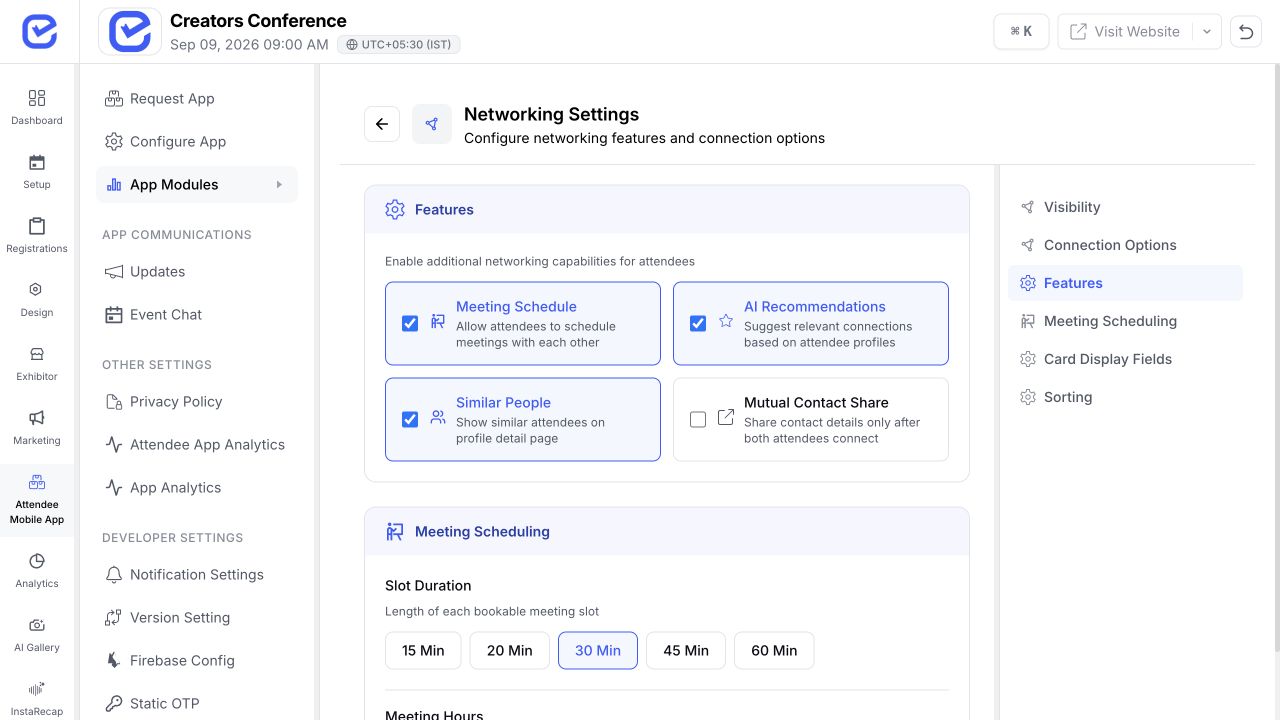
Create a familiar networking path for members, guests, committees, and recurring event communities.
Explore More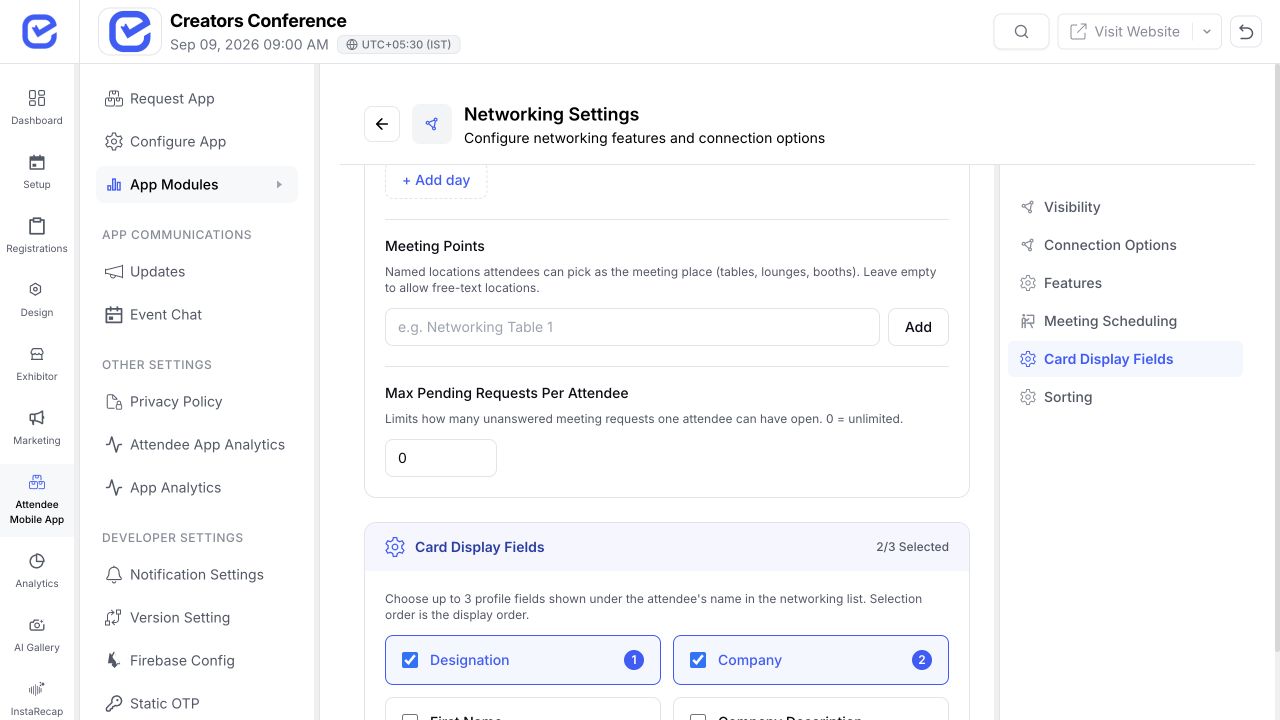
Configure networking access, meeting availability, and profile context separately for each event and attendee group.
Explore More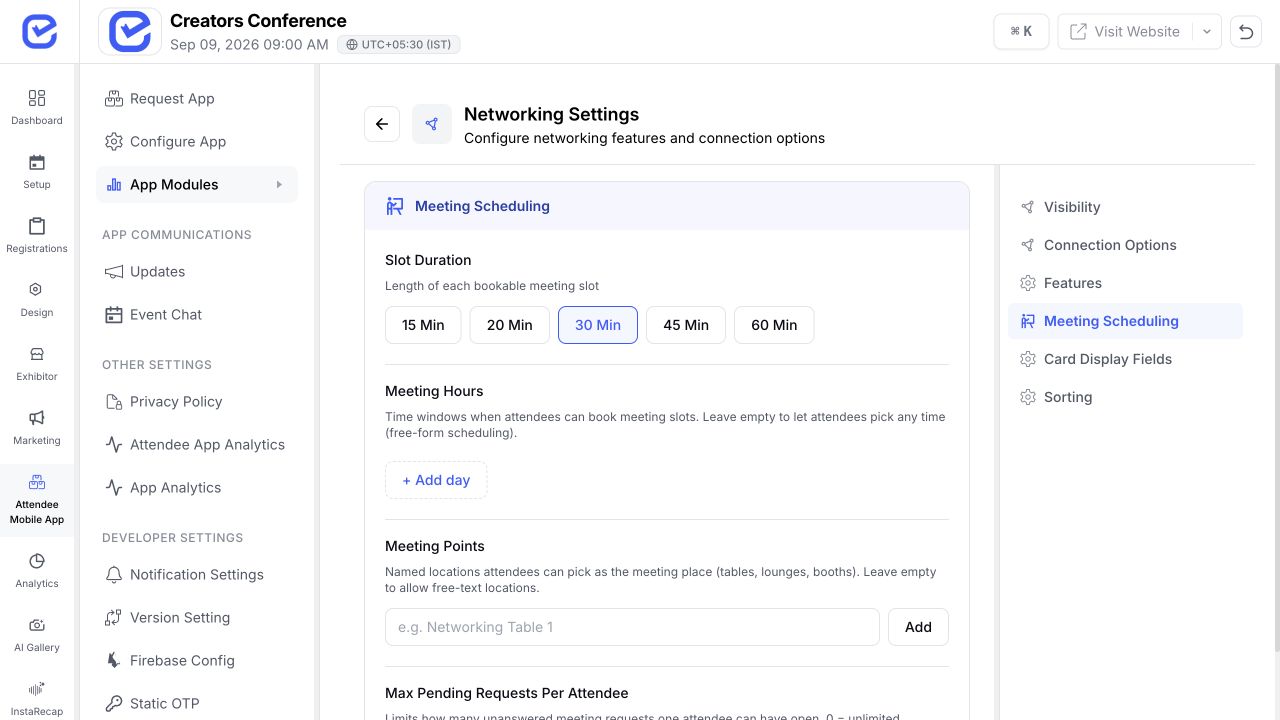
Bring discovery, profiles, conversations, and meetings together in one connected experience.
Put AI recommendations, profiles, connection requests, and conversations in the same mobile experience attendees already use.
Explore the mobile app →Use attendee, company, ticket, and event-form information to help people understand why a connection could be relevant.
Explore registration →Let accepted connections continue into chat and one-to-one scheduling without making attendees restart their journey.
Explore meetings →Make relevant exhibitor representatives visible with the role and company context attendees need before reaching out.
Explore exhibitors →AI event matchmaking uses participant profile information to recommend people an attendee may want to meet. In EventHex, recommendations are a discovery aid; the attendee reviews the profile and decides whether to connect.
EventHex uses profile similarity to surface candidate profiles from the event the attendee has opened. The recommendation card leads to the participant's profile and current connection state.
No. The attendee chooses a recommended profile, reviews the available context, and decides whether to send a request.
The accepted participant appears under Connections. From the connected profile, attendees can continue in chat and open the one-to-one meeting flow.
Yes. In the verified attendee journey, meeting scheduling becomes available after the participants connect. The attendee chooses to open and complete the meeting flow.
Yes. Organizers can enable the networking module and select which ticket types can access it. The exact attendee experience depends on the event's enabled modules and settings.
Organizers can choose whether speakers and booth members are included in the networking directory.
Yes. Organizers can select and order up to three networking-card fields from designation, company, and eligible event or ticket form responses.
Smart-Connect recommends profiles. Attendees choose whom to connect with and can schedule a one-to-one meeting after a connection is accepted.

